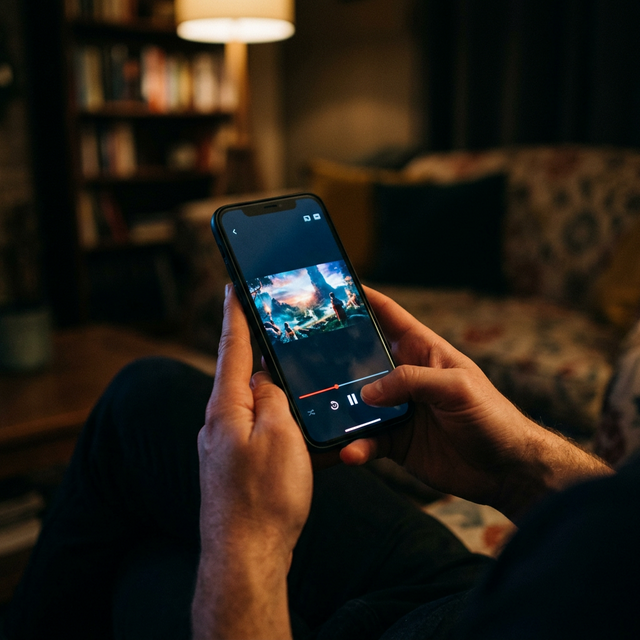
Best IPTV Apps for Firestick, Smart TV, and Android in 2025
Your IPTV experience is only as good as the app you use to watch it. The right IPTV player app can transform a basic channel list into a polished, cable-like viewing experience with an electronic program guide, channel favorites, catch-up TV, and smooth switching between streams. In 2025, several IPTV apps stand above the rest for Firestick, Smart TV, and Android devices. This guide reviews the best options and helps you choose the right one.
What to Look for in an IPTV App
Not all IPTV apps are created equal. Before choosing a player, consider these factors: Xtream Codes API support (the easiest login method), EPG (Electronic Program Guide) integration for a cable-like channel guide, multi-format support for both M3U playlists and Xtream Codes, catch-up and recording capabilities, user interface design and ease of navigation, and multi-stream support for picture-in-picture or split-screen viewing.
1. TiviMate — Best Overall IPTV App
TiviMate is widely considered the gold standard for IPTV player apps. Its interface is clean, fast, and intuitive — it feels like a premium cable box experience. The EPG displays beautifully with channel logos, program descriptions, and multi-day scheduling. Channel switching is near-instant, and the app supports catch-up, recording, and multiple playlists. TiviMate works on Firestick, Android TV, and Android phones and tablets. The free version is functional, but the premium version unlocks multi-playlist support and recording features.
2. IPTV Smarters Pro — Best for Beginners
IPTV Smarters Pro is the most beginner-friendly IPTV app available. The login process is dead simple — select Xtream Codes API, enter your username, password, and server URL, and you are in. The interface organizes content into clear categories: Live TV, Movies, Series, and Catch-Up. It is available on virtually every platform including Firestick, Android, iOS (as Smarters Player Lite), Windows, and Mac. This is the app we recommend for first-time IPTV users.
3. XCIPTV Player — Best for Customization
XCIPTV Player offers deep customization options for users who want full control over their viewing experience. You can rearrange channel groups, create custom favorites lists, adjust buffer sizes, and choose between multiple EPG layouts. The app handles high-bitrate 4K streams particularly well and supports external video players like MX Player for additional codec support.
4. IBO Player — Best for Samsung and LG Smart TVs
Samsung and LG Smart TVs run proprietary operating systems (Tizen and WebOS) that do not support standard Android apps. IBO Player is purpose-built for these platforms and available directly in their app stores. The setup uses a device ID that your IPTV provider activates on their end. The interface is simple and TV-remote-friendly, making it ideal for non-technical users.
5. VLC Media Player — Best Free Option for PC
VLC is a free, open-source media player that handles M3U IPTV playlists on any desktop operating system. While it lacks dedicated IPTV features like an EPG or organized categories, it is reliable, lightweight, and requires no installation on most computers. Simply open an M3U playlist file and browse channels. It is a solid backup option or a good choice for users who primarily watch on their computer.
Which App Should You Use With Golden IPTV Pro?
For most users, we recommend TiviMate for the best overall experience or IPTV Smarters Pro for the easiest setup. Both work seamlessly with Golden IPTV Pro's Xtream Codes API credentials. For Samsung and LG Smart TV owners, IBO Player or Smart IPTV are the best options. All recommended apps are compatible with Golden IPTV Pro and support the full channel lineup, EPG, and VOD library.
Frequently Asked Questions About IPTV Apps
Are IPTV apps free? Many IPTV player apps are free or have free versions with basic functionality. TiviMate has a free tier, and IPTV Smarters Pro and VLC are completely free. The app itself is just a player — you still need an IPTV subscription to access channels.
Can I use multiple IPTV apps with the same subscription? Yes. Your Xtream Codes credentials work across any compatible app. You can use TiviMate on your Firestick and IPTV Smarters on your phone with the same login.
Which IPTV app has the best EPG? TiviMate offers the most polished and feature-rich EPG experience, with multi-day program guides, channel logos, and catch-up integration.
Get Started With the Right App
The best IPTV app depends on your device and preferences, but you cannot go wrong with TiviMate or IPTV Smarters Pro. Pair either one with a Golden IPTV Pro subscription and you will have a viewing experience that rivals — and often surpasses — traditional cable. Visit our installation guide for step-by-step setup instructions for every device and app.
Ready to experience reliable streaming?
Explore our subscription plans with enterprise-grade infrastructure and 24/7 technical support.
View Subscription Plans